Resolve Render Settings for Dailies
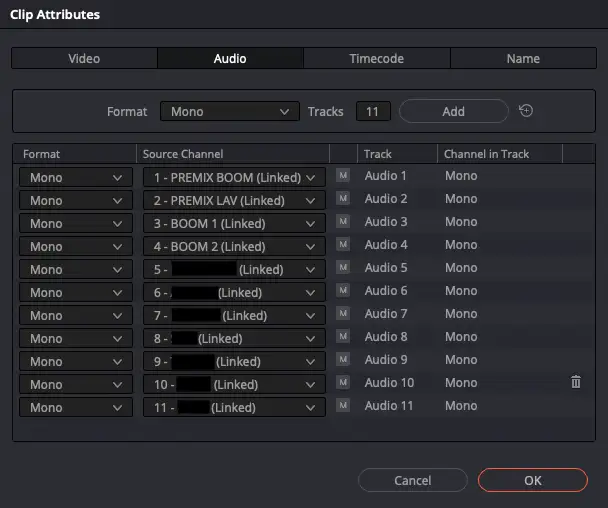
A set mix is often recorded on two separate mono tracks. For example, channel 1 may contain a pre-mix of the boom microphone, while channel 2 contains a pre-mix of the lavalier microphones. When reviewing dailies, it can be disorienting if only the boom signal is heard on the left channel and only the lavalier signal on the right.
Webgate.io therefore offers the option, when a predefined channel layout is used, to create a mixdown in which both the left and right stereo channels contain an identical, mixed mono signal combining boom and lavalier microphones.
Which file types receive such a mono mixdown is described in the guide under Suggested upload file specs .
There are two ways to create these files using DaVinci Resolve:
1. Create videos with 2 audio tracks, one channel each
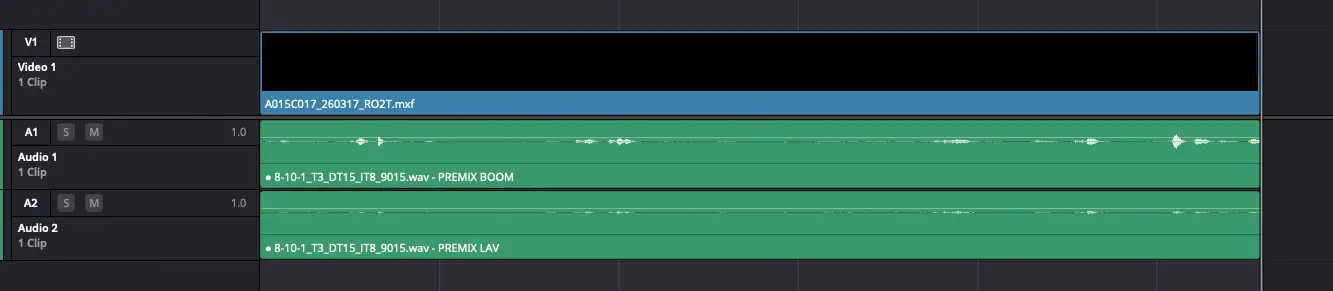
Set up the videos with both desired audio tracks in the timeline:
On the Deliver page in Resolve, select Render «Individual clips». In the Video Render Settings, disable «Render timeline effects». In the Audio Render Settings, enable «Render one track per channel»:
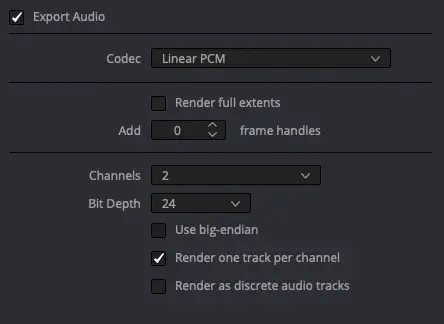
This option creates a video file with 2 audio tracks, one channel each, and a channel layout of C. The audio layout can be verified in the Webgate.io metadata tab under «Show MediaInfo» and should look like this:
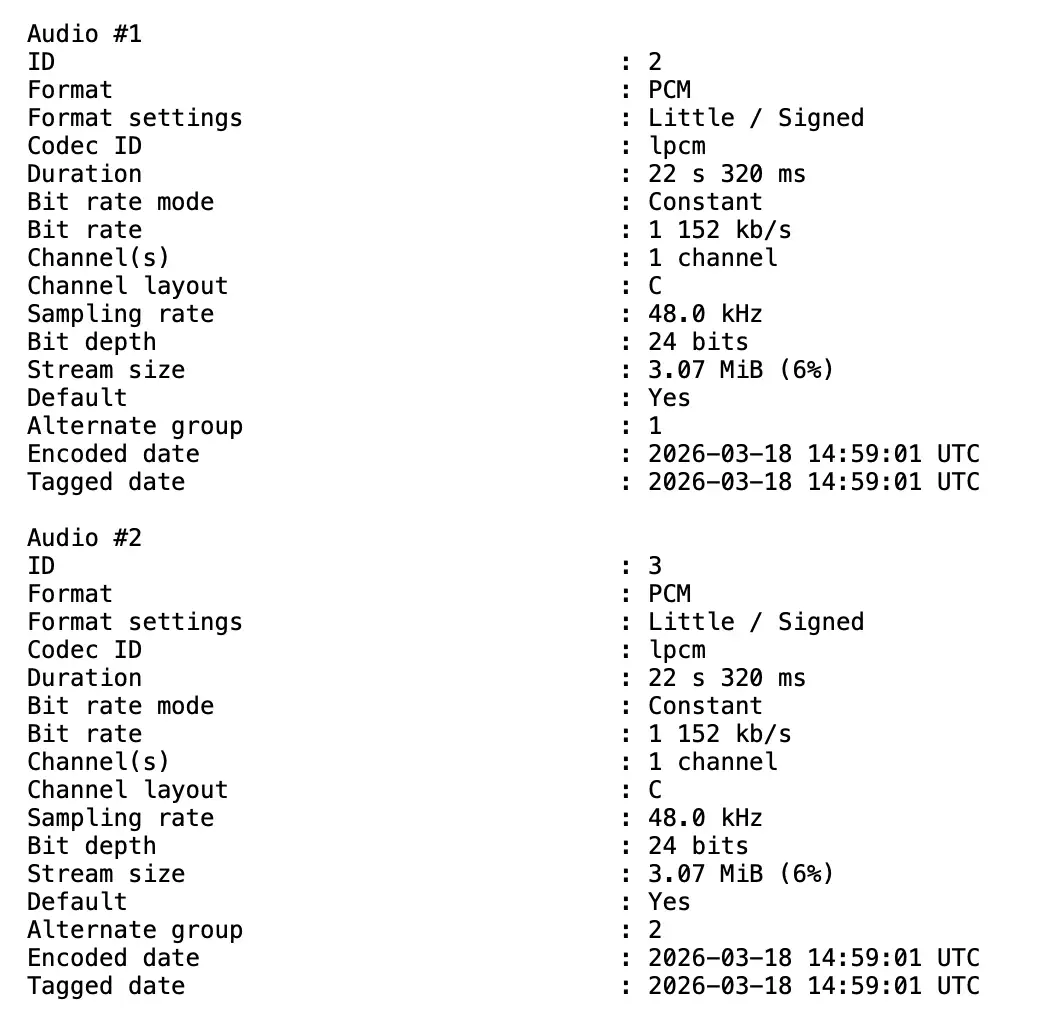
When videos with this audio channel layout are uploaded to Webgate.io, the platform combines both tracks into a mix and reduces the loudness by 3 dB. The resulting streaming files contain an identical signal on both the left and right channels, combining boom and lavalier microphones at equal levels.
2. Create a video file with one track and two channels
If interleaved audio is preferred, the identical mono signal for left and right must be created in Resolve itself. To do this, create a stereo timeline and set up the videos with both desired audio tracks:
In the Bus Format Settings, select Stereo:
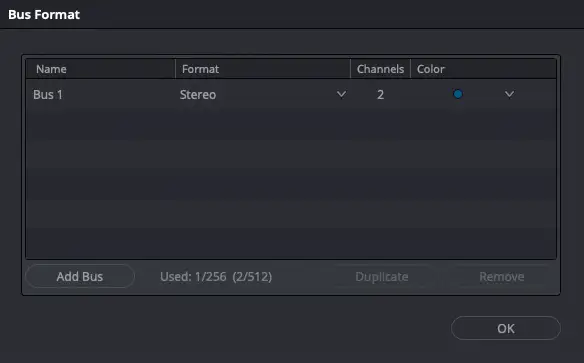
In the Video Render Settings, enable «Render timeline effects». In the Audio Render Settings, disable «Render one track per channel»:
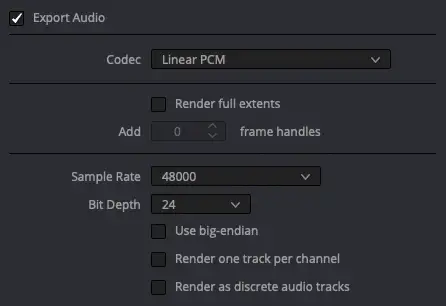
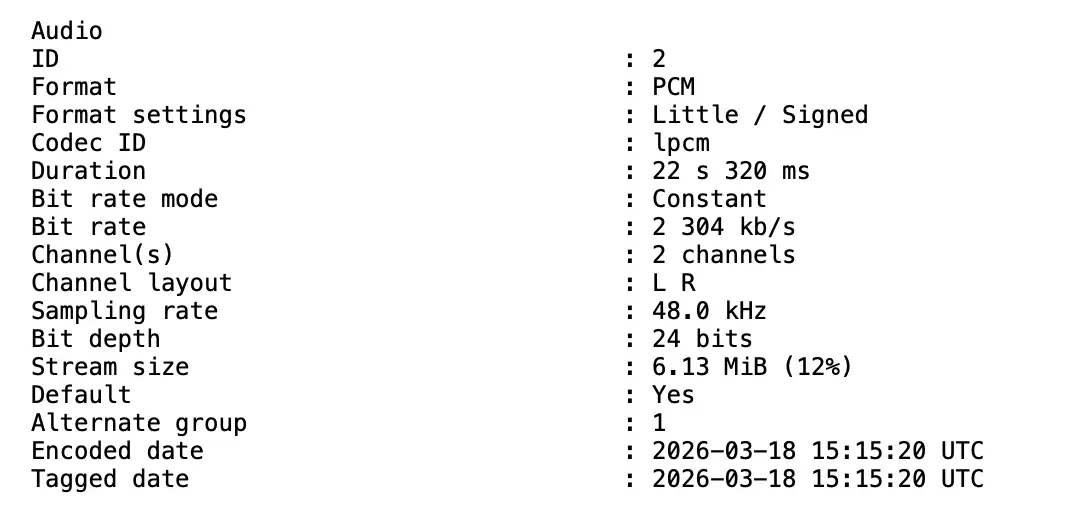
This option creates a video file with one audio track, two channels, and a channel layout of L R. The audio layout can be verified in the Webgate.io metadata tab under MediaInfo and should look like this: